- SHP for D365 · Integrated parcel shipping
Make Dynamics 365 the place your team ships.
FRT Forge SHP brings parcel shipping into Microsoft Dynamics 365 Finance & Supply Chain Management (D365 F&O). Compare carrier rates, create shipping labels, and keep tracking connected to your orders and warehouse work.
- How it Helps
Features Of SHP
Multi‑carrier API integration
Connect Dynamics 365 shipping workflows with carrier APIs for rates, labels, manifests, and shipment documents. Review your carriers, services, and integration requirements with FRT Forge.
Rate comparison engine
Instantly compare services and rates across all connected carriers from inside D365, apply your own business rules, and choose the lowest-cost or fastest option with a single click.
Automatic label generation
Generate carrier-compliant labels and all required shipping paperwork (including international commercial invoices and customs forms) automatically from D365 as you confirm the shipment.
Tracking updates in D365
Capture tracking numbers and status updates back into D365 in real time, giving customer service and warehouse teams a single place to see where every parcel is.
Shipment history & reporting
Store a complete history of all parcel shipments in D365 and analyze performance by carrier, service, customer, or lane to identify savings and service-level issues.
Returns management
Create and manage return labels and RMAs directly in D365, tying each return to the original shipment so you can control costs, improve customer experience, and keep inventory accurate.
- See SHP in Action
Inside Your ERP, Exactly Where You Work
SHP brings carrier rate comparison, shipping labels, and shipment tracking into Microsoft Dynamics 365 Finance & Supply Chain Management. Review the shipping workflow with your own orders, warehouses, carrier requirements, and printing needs.
Explore the shipping workflow
Start with a representative order and package. Review the applicable shipping options, the operator’s label workflow, and where tracking information remains available to the warehouse and customer service teams. Then walk through an exception, such as an address or package that needs attention.
A guided demonstration can focus on the carrier and service combinations, warehouse processes, and printing arrangements your operation requires.
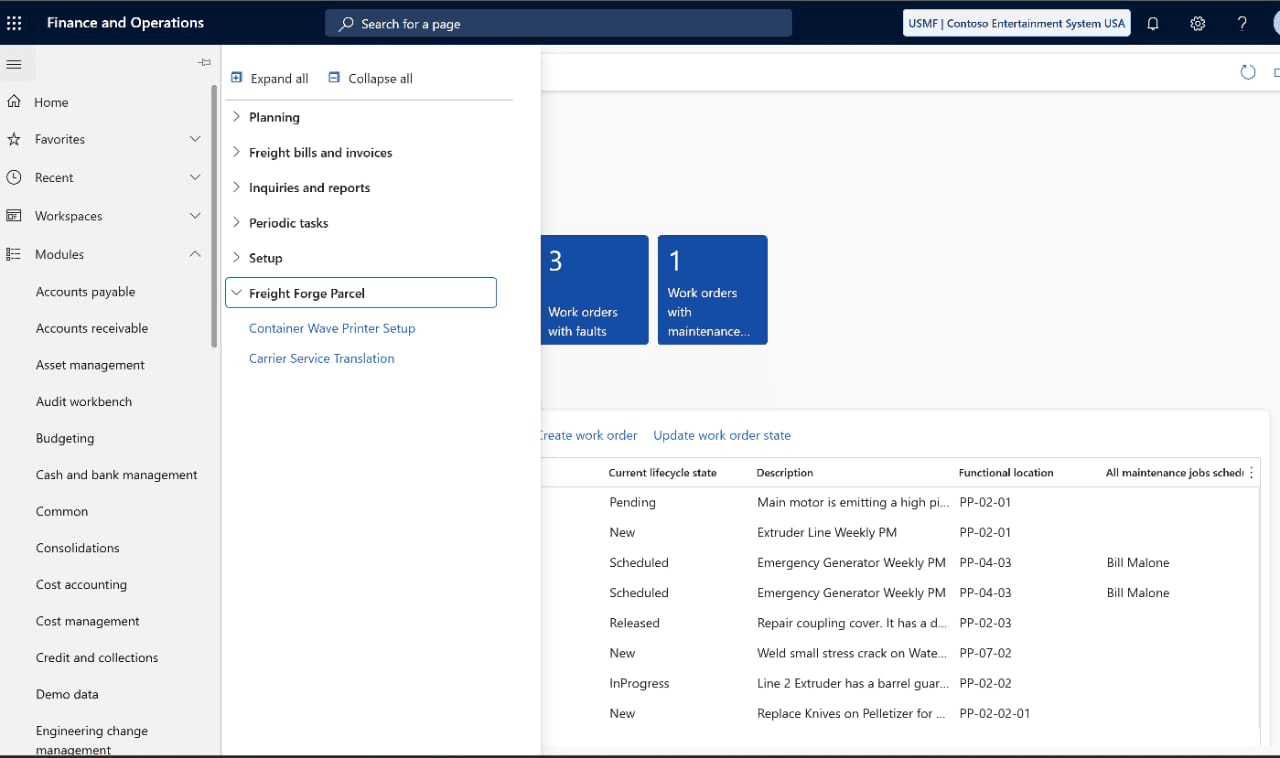
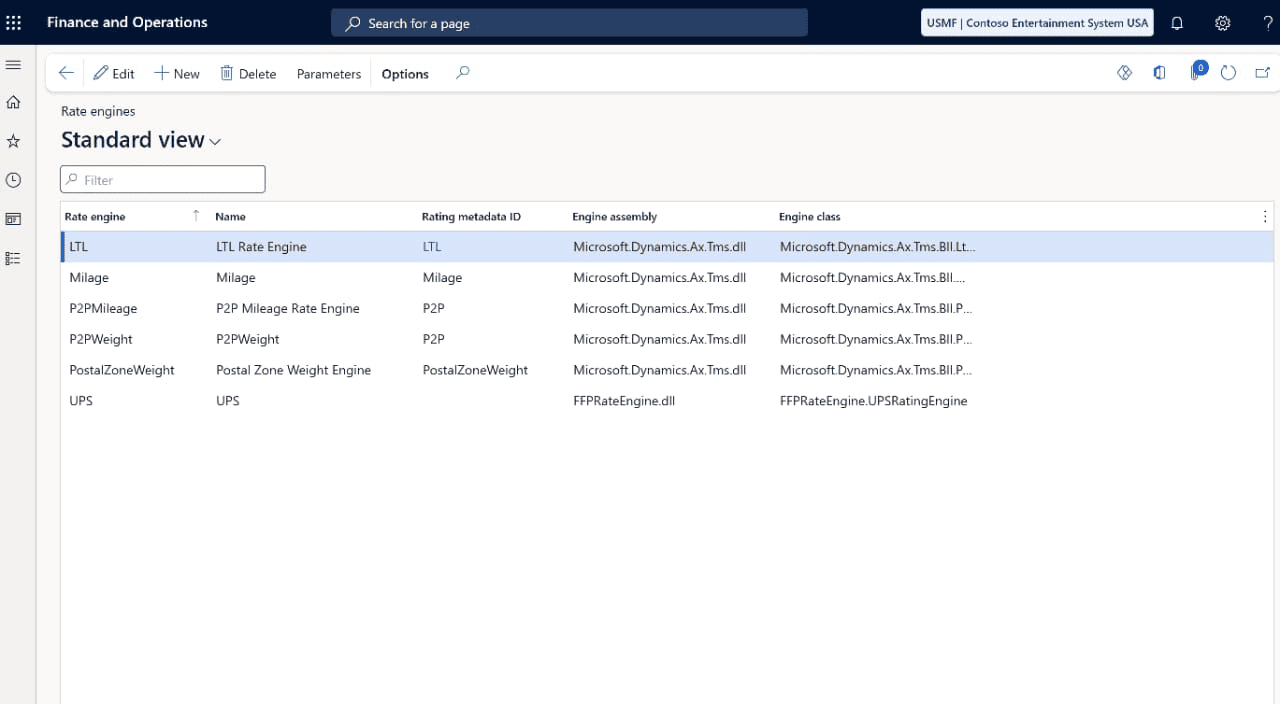
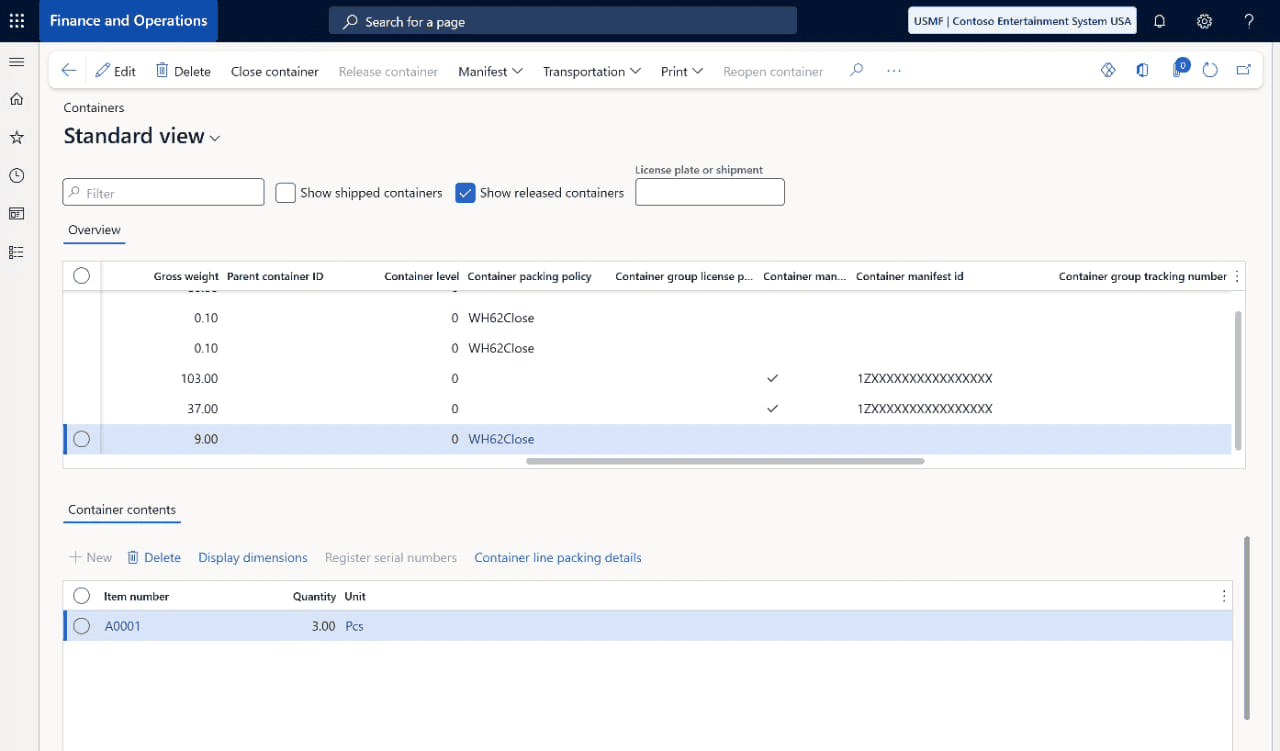
Make the carrier decision in D365
Compare connected carrier services using your accounts and the requirements of the shipment.
Keep labels and shipment information together
Create shipping labels and give warehouse and customer-service teams access to shipment information in the ERP they already use.
Start with your operation
Review the carriers, warehouses, printers, and shipping scenarios that matter to your team.
- Why choose SHP
Shipping that fits your Dynamics 365 operation
Your team already runs orders and warehouse operations in Dynamics 365. SHP brings the carrier decision, shipping label, and shipment information into that workflow. Keep the work connected to the order, the package, and the people who need the answer.
- Scale Integration
Capture Shipment Weight at Pack-Out
SHP connects warehouse scales with the pack-out workflow so teams can capture shipment weight in Dynamics 365 and reduce manual keyboard entry.
Less Manual Entry
No more manual weight entry mistakes
Connected Weighing
More Accuracy
More Optimized
- FAQs
Question & Answer
Find answers about shipping with SHP for Dynamics 365 Finance & Supply Chain Management. Have a question? Chat with our team.
Using Business Central? Explore SHP for Business Central.
What are your pricing models?
SHP is licensed as an annual subscription for your D365 production environment, with tiers based on shipment volume, number of legal entities, and connected carriers. The subscription includes product updates and standard support; implementation and training services are quoted separately so you only pay for the setup you actually need.
Do we keep ownership of our carrier credentials and contracts?
Yes. You own all carrier accounts, credentials, and contracts. SHP simply uses your credentials to retrieve rates, generate labels, and transmit shipment data over secure APIs. We do not resell parcel services or mark up your carrier rates unless you explicitly choose a brokerage or managed option.
Can we use our negotiated carrier rates?
Absolutely. SHP calls each carrier’s API using your accounts, so all rating and billing is based on your own negotiated tariffs, discounts, and surcharges.
Which versions of D365 does SHP support?
SHP is built for Dynamics 365 Finance and Supply Chain Management and is kept current with Microsoft’s cloud release cadence. We certify each SHP release against supported D365 versions and provide clear guidance for upgrades as part of your subscription.
How long does a typical implementation take?
Most customers go live in weeks, not months. Because we provide a prebuilt SHP business process library, configuration templates, and end-to-end test cases, projects focus on tailoring rules and training users rather than designing everything from scratch.
What effort is required from our team?
You will need a small cross-functional team—usually someone from IT, finance, and warehouse/logistics—to validate processes, provide carrier account details, and participate in testing and training. We come with accelerators and sample scenarios to minimize the time your team spends in workshops.
Does SHP support international shipments and customs paperwork?
Yes. SHP can automatically generate international commercial invoices, customs forms, and other required export documents using data already in D365 (items, HS codes, country of origin, values, Incoterms, etc.), and transmit the required data to carriers electronically where supported.
Can SHP handle returns (RMAs) as well as outbound shipments?
Yes. SHP supports creating return labels tied back to the original shipment or order, so you can manage RMAs, track returned parcels, and keep inventory and financials accurate inside D365.
What printers and labels are supported?
SHP outputs carrier-compliant labels in formats compatible with common thermal and laser printers. As long as the printer is reachable from your D365 environment (network or print server), you can print 4×6 thermal labels or standard A4/Letter PDFs directly from D365.
What are your SLA and support windows?
SHP includes a standard support package with defined response-time commitments during business hours, plus options for extended or 24×7 coverage for customers with mission-critical shipping operations. SLAs, severity levels, and escalation paths are documented in your support agreement.
Do we need a separate portal or additional infrastructure?
No. SHP is a fully native D365 solution installed in your own tenant. Users work entirely inside D365—on sales orders, transfer orders, and returns—without logging into a separate shipping portal.
How are software updates and new carriers delivered?
We publish SHP updates aligned to Microsoft’s update cadence, including new features, carrier connections, and fixes. Updates are deployed through your normal D365 application lifecycle, with release notes so you can plan and test changes before they reach production
- Get In Touch With us
Bring one order. See the whole workflow.
See how SHP fits your shipping day, from carrier selection to label output and shipment follow-up.